Case Study · Toddle

Rebuilding Toddle's mobile app from the ground up — a design system-first revamp bridging 3 years of platform drift
DurationOngoing
PlatformiOS · Android
My RoleProduct Designer
FocusUX Redesign · Design System
Toddle app redesign hero

By late 2024, Toddle's web platform had matured to Design System 2.0 — modern, consistent, and scalable. But the mobile app, used daily by parents, students, and teachers, hadn't seen a significant update in nearly three years. The result was a widening platform gap: users moving between web and mobile encountered two entirely different visual languages, navigation patterns, and interaction models.

For families, this showed up as confusion on core flows — navigating announcements, checking attendance, or understanding calendar events. For Toddle, it showed up in rising support tickets, declining app store ratings, and a growing perception that the mobile product was abandoned.

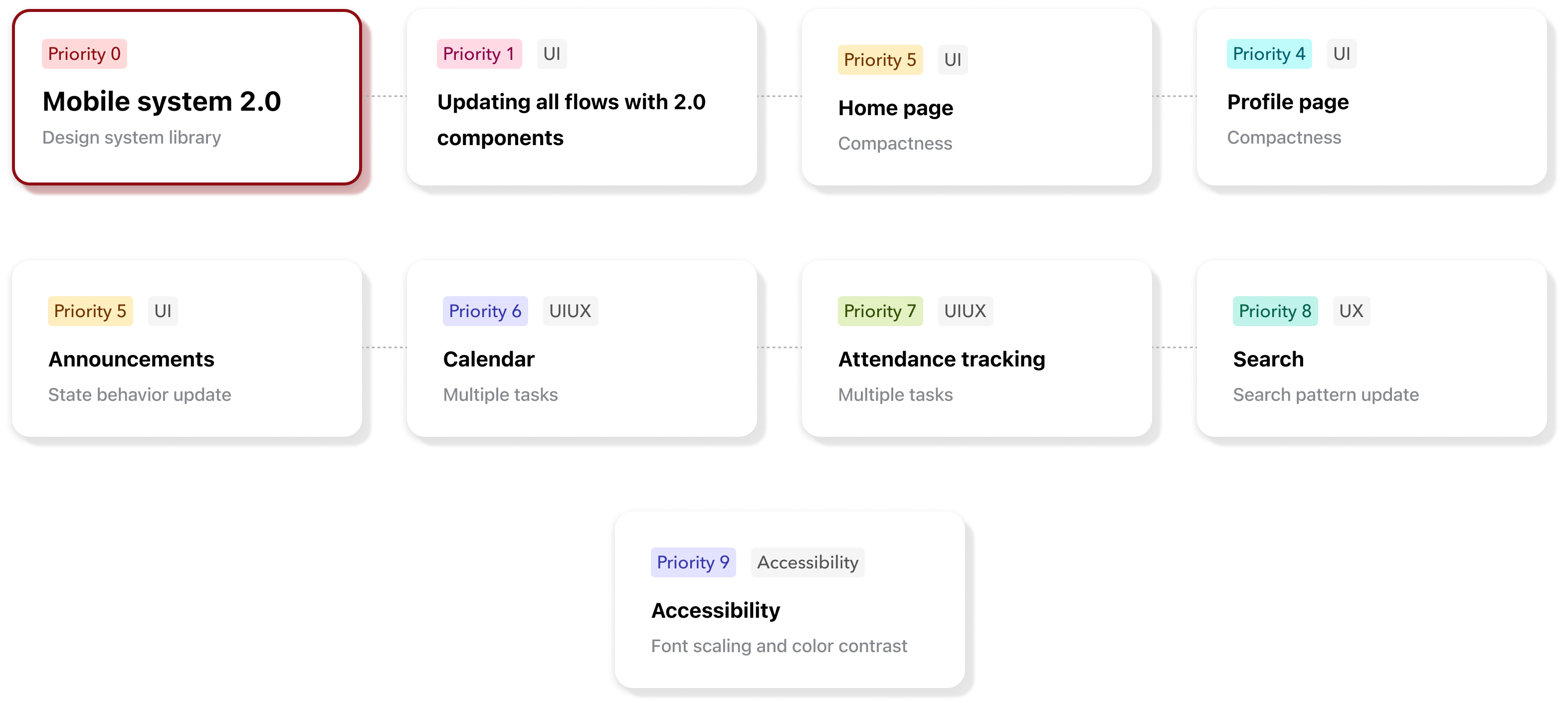
The root cause wasn't neglect — it was prioritization debt. Mobile had been deprioritized while the web platform scaled. By the time we addressed it, the gap was large enough that a component-by-component patch wouldn't work. We needed a ground-up rebuild, anchored in a dedicated mobile design system.
Teachers Families Students

Before redesigning anything, I needed to understand where the mobile experience was actually breaking down — and for whom. Rather than assumption-led design, I grounded the work in two primary signals: an audit of App Store reviews and a review of recurring issues raised by schools and parents through support channels.

01Navigation was the top complaint. Parents and students repeatedly struggled to find core features — attendance, announcements, and calendar — because placements had shifted across updates with no consistent logic.
02The app felt abandoned. Multiple reviews noted that the mobile experience looked and felt significantly worse than the web platform. This wasn't just a visual concern — it was eroding trust in Toddle as a product.
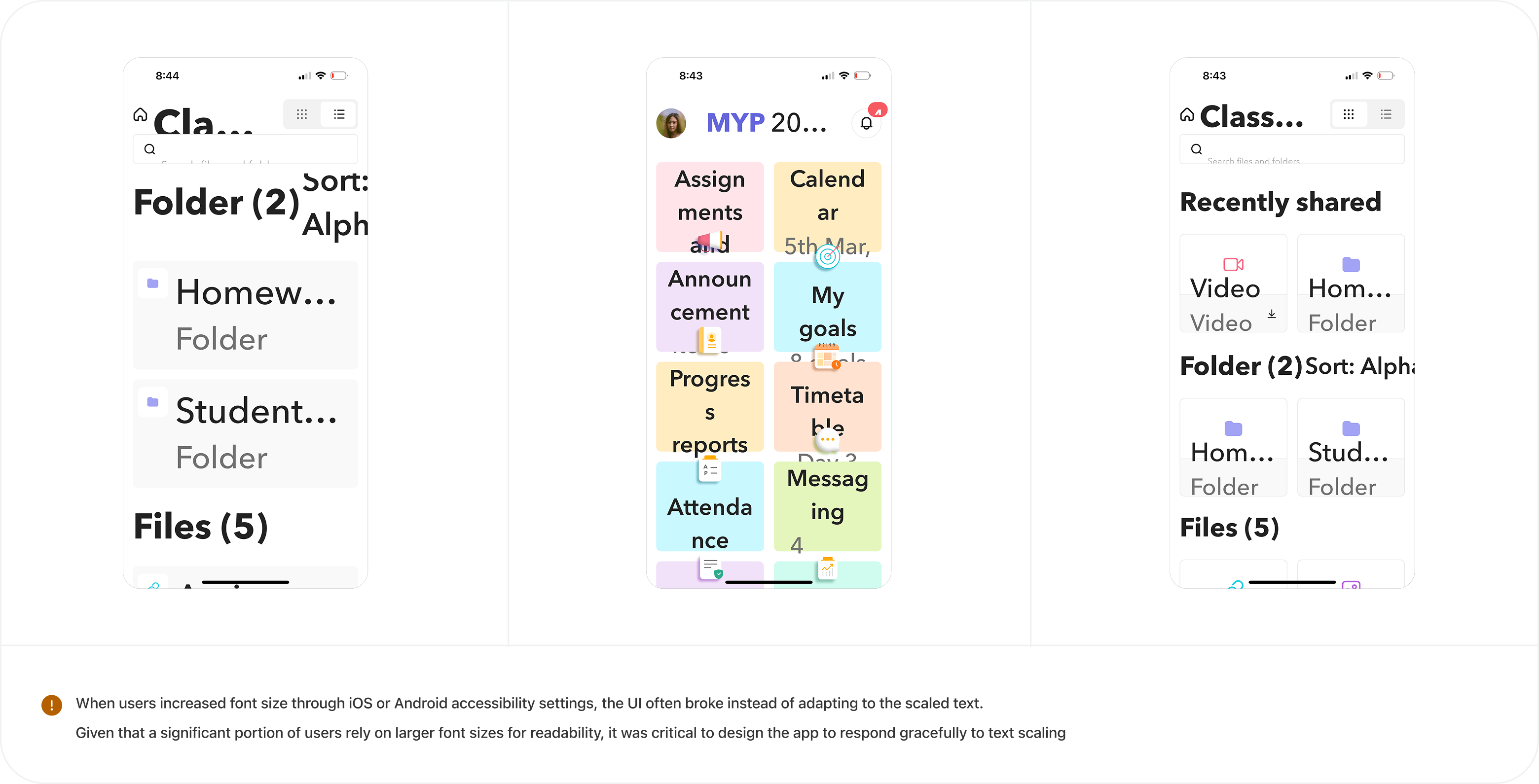
03Accessibility was a real barrier. Schools flagged that parents with accessibility needs — particularly those relying on larger text sizes — were encountering broken layouts that made the app unusable.

"The website looks so much better. The app feels like it hasn't been updated in years."

These signals reframed the work. This wasn't just a visual refresh — it was a trust-restoration exercise. Consistency with the web, predictable navigation, and accessibility support became non-negotiable foundations for the redesign, not nice-to-haves.

For Designers
For designers - problem 1 For designers - problem 2

For Users

For users - problem 1 For users - problem 2 For users - problem 3
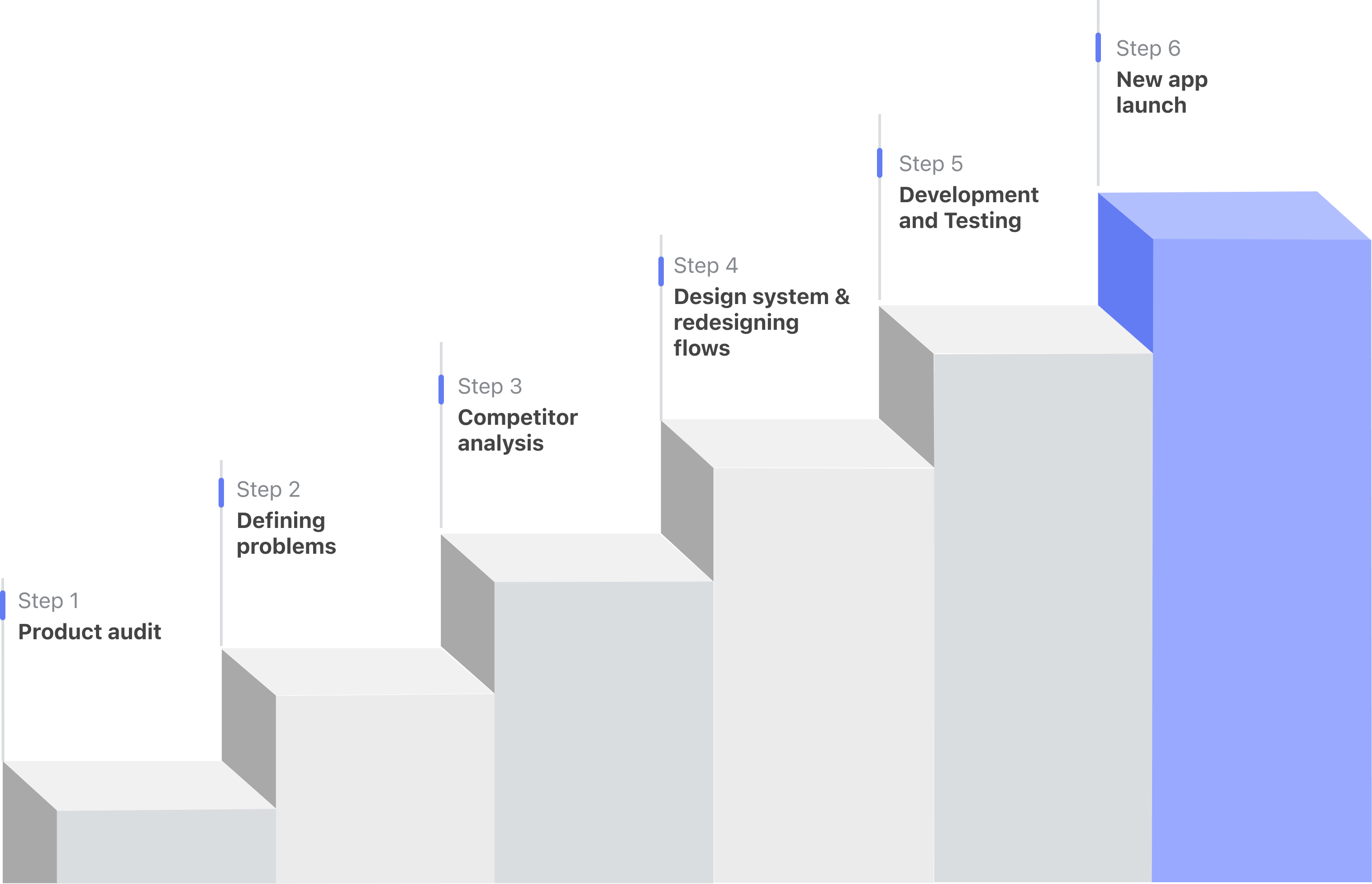
The process

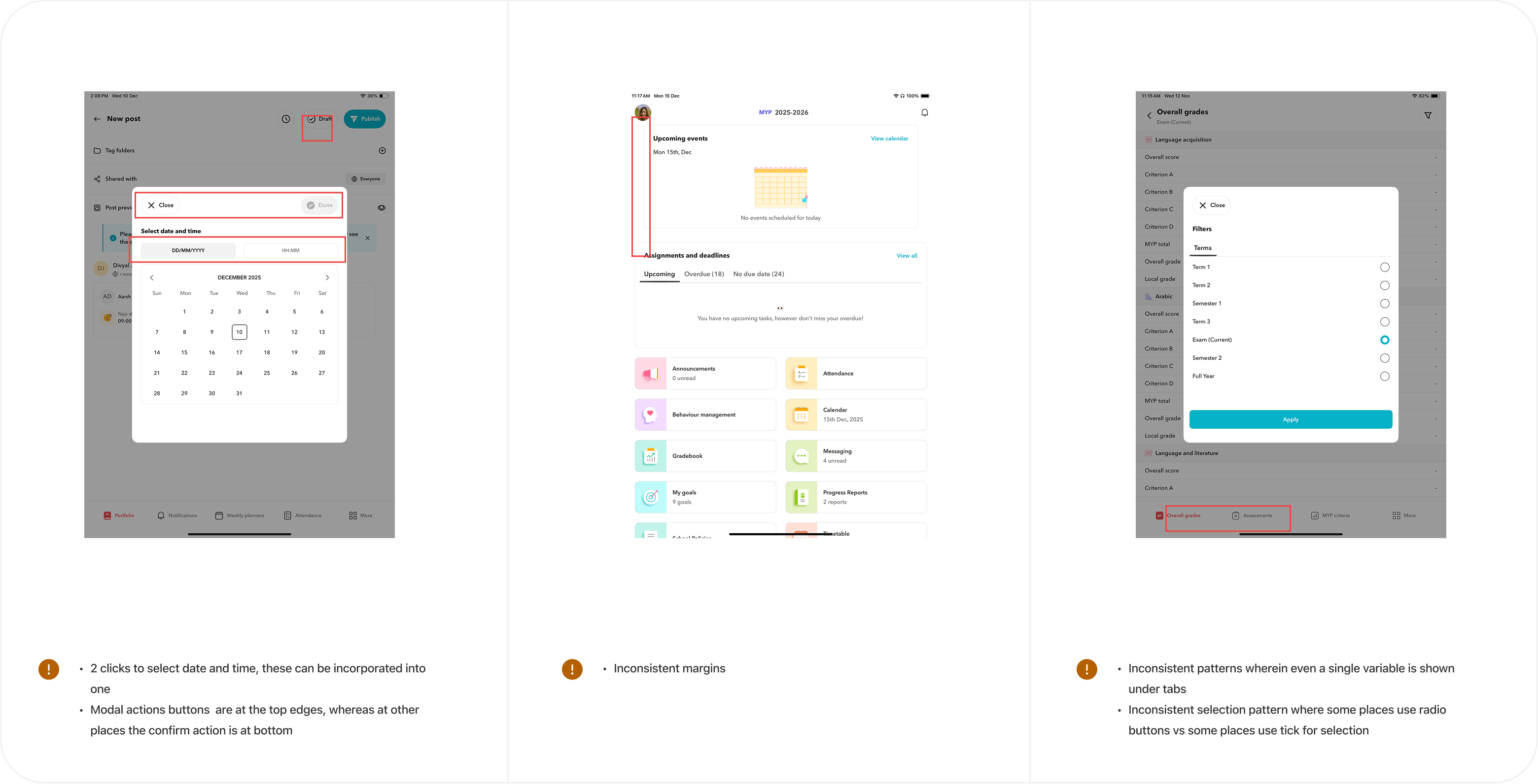
Before diving into redesign, I conducted a thorough audit of the existing mobile app to surface all inconsistencies, broken patterns, and accessibility gaps.
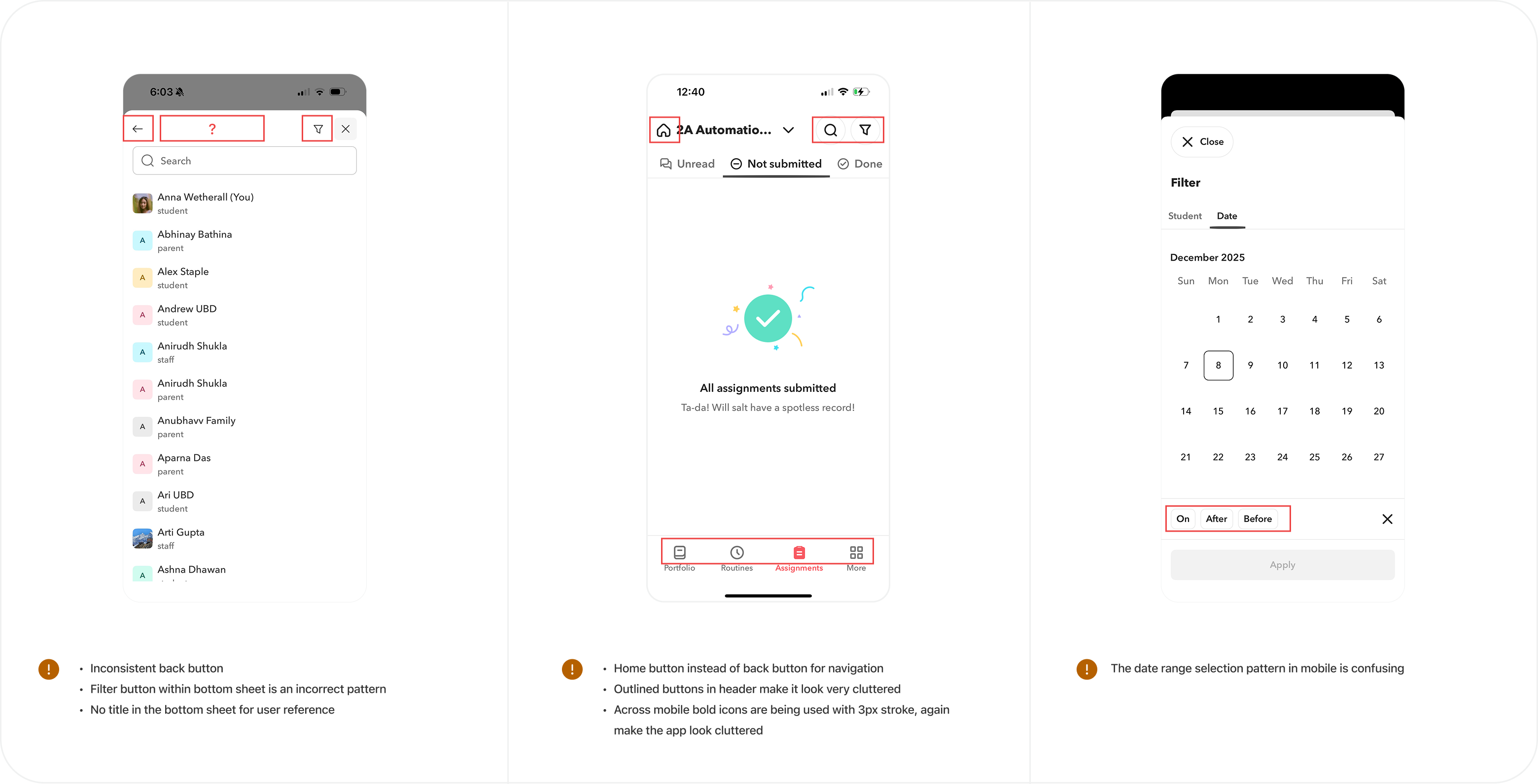
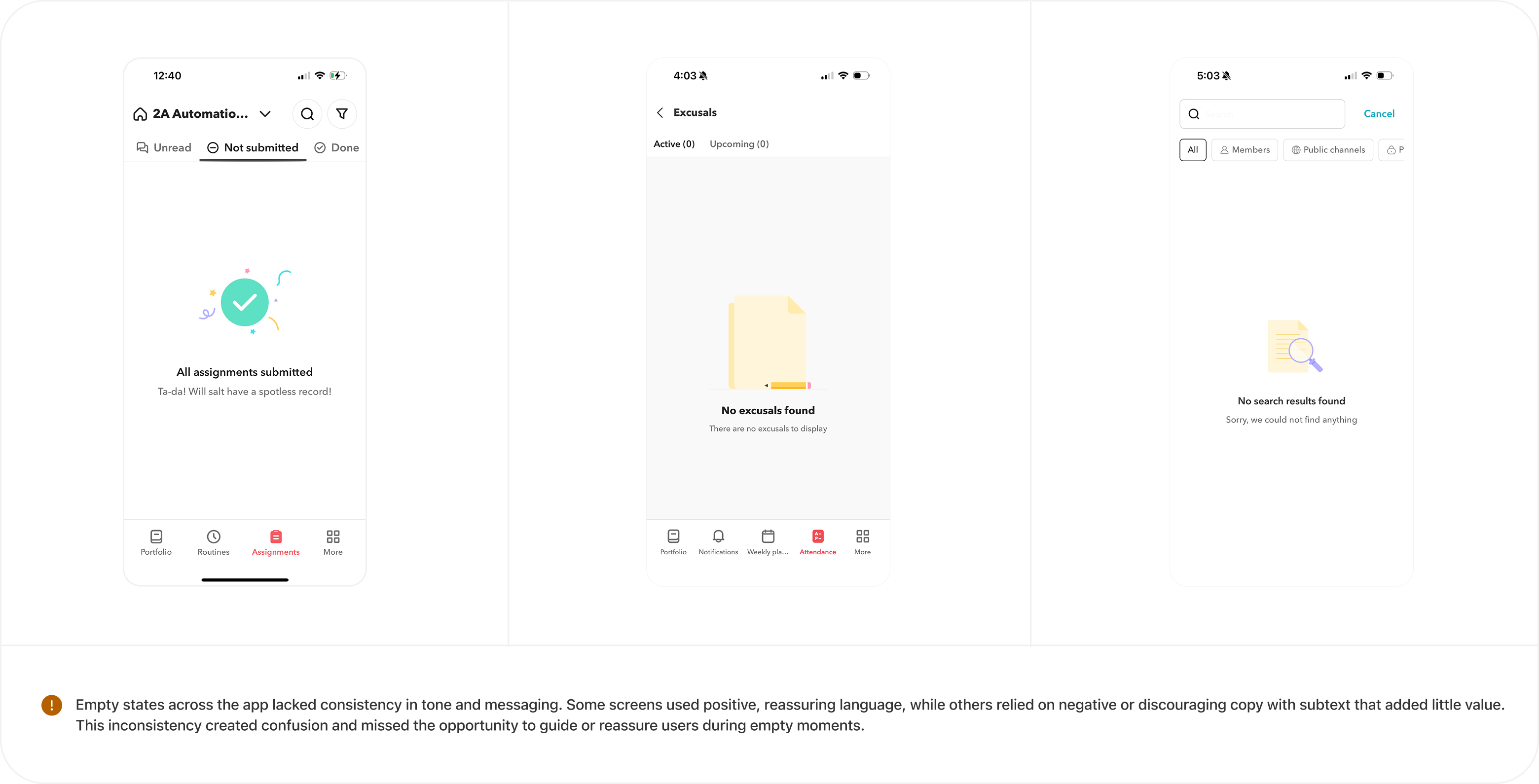
App audit 1 App audit 2 App audit 3 App audit 4
My role

Design System 2.0

The first priority was establishing a dedicated mobile design system to align mobile with Web 2.0 — ensuring every designer could work efficiently using shared patterns and components.
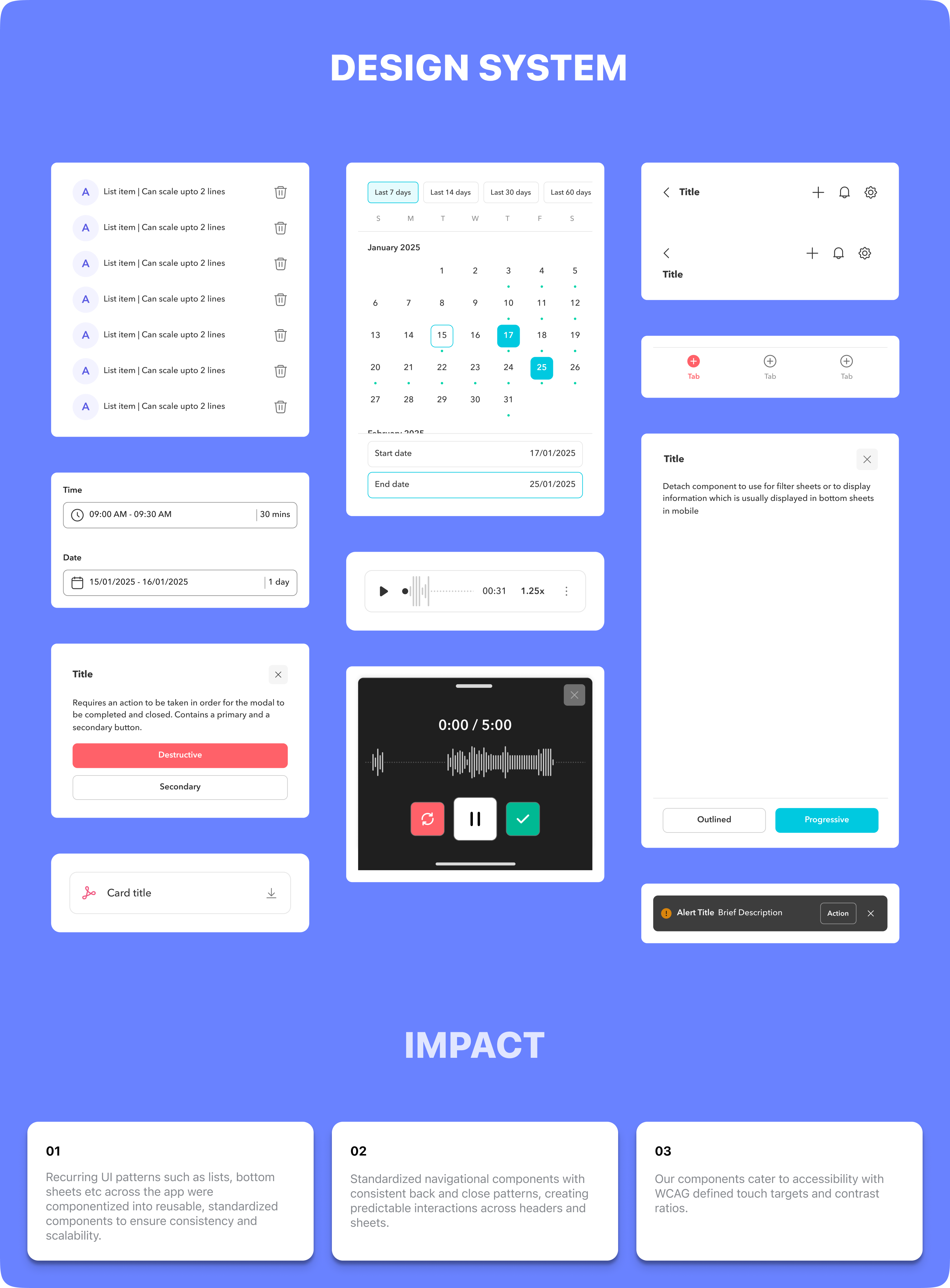
Design system 2.0

Home Page

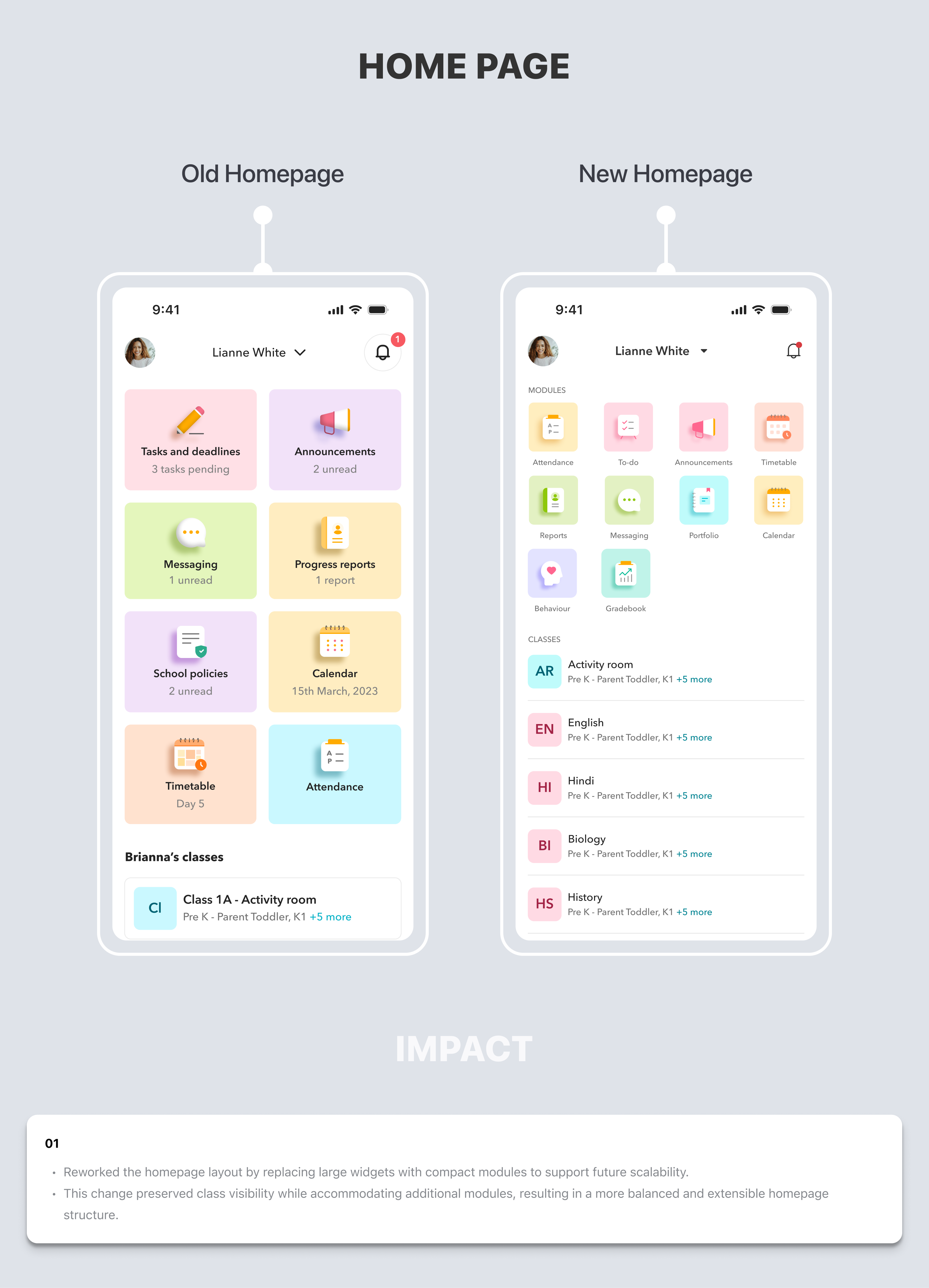
01Large widgets consumed excessive vertical space, requiring users to scroll just to see what was available. Compact modules brought more content above the fold, reducing cognitive load and making the home screen functional rather than decorative.
Homepage redesign

Profile Page

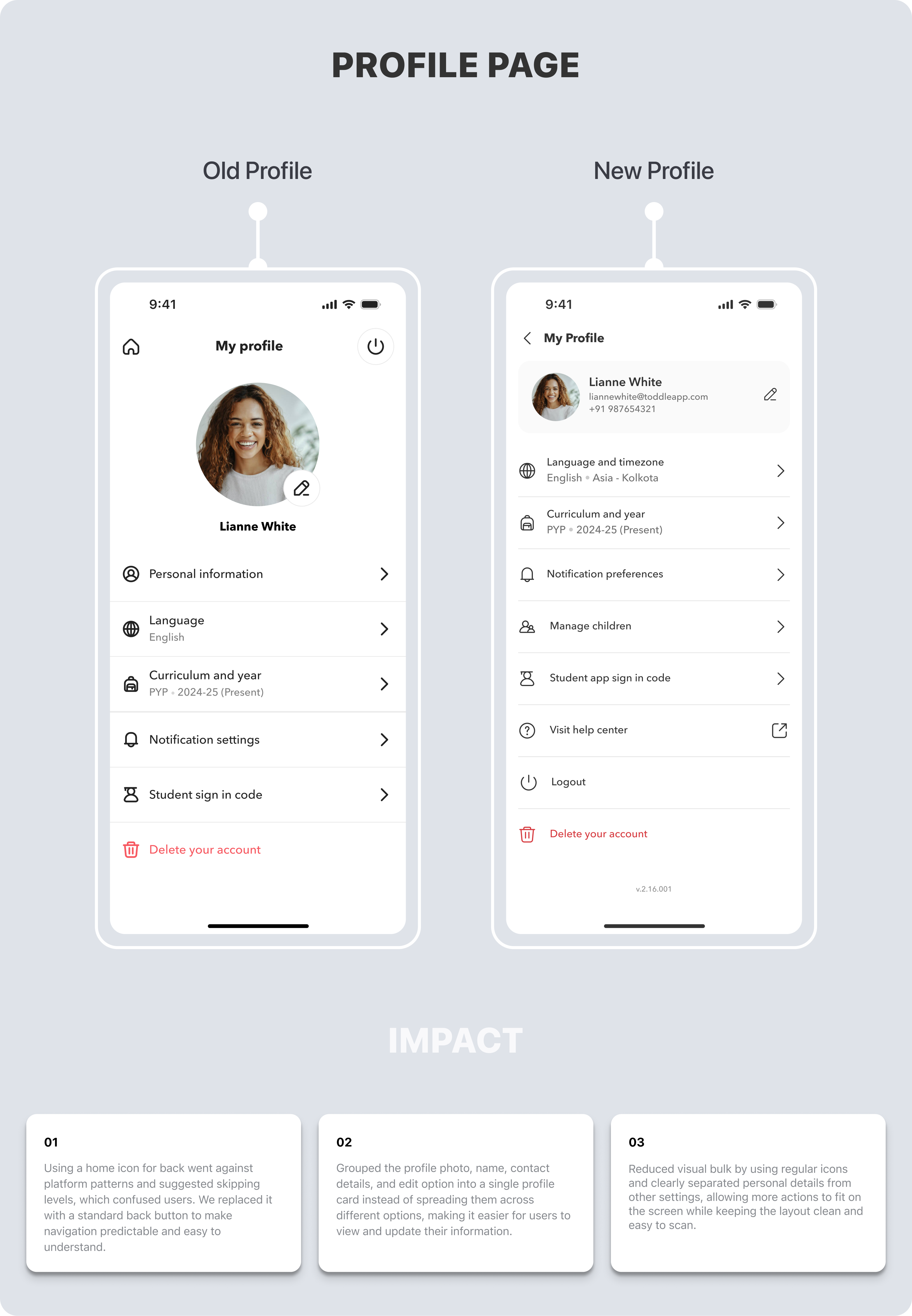
01The home icon was being misread as 'go to home screen' — users were accidentally exiting their current context. A standard back button follows platform conventions on both iOS and Android, removing ambiguity entirely.
02Profile information was scattered across multiple areas with no clear visual hierarchy — users couldn't quickly verify or edit their details. Consolidating photo, name, contact details, and edit action into a single card created one predictable place for everything profile-related.
03The old layout buried secondary actions below the fold, forcing unnecessary scrolling. A tighter, scannable layout surfaces more actions in the same screen height — reducing taps and improving task completion speed.
Profile page redesign

Announcements

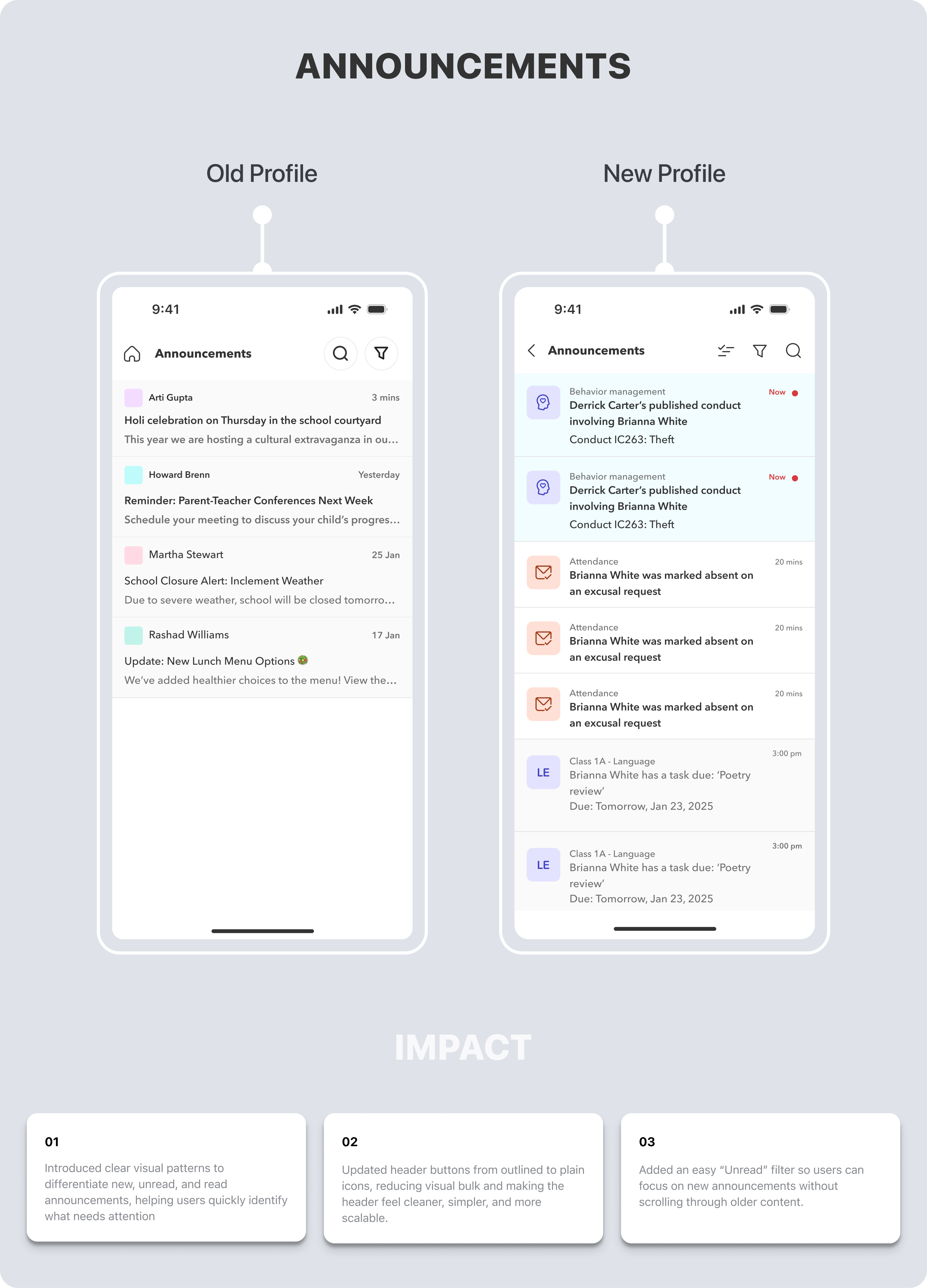
01Announcements had no visual distinction between new, unread, and read states — everything looked the same. Adding clear visual differentiation lets parents instantly spot what needs attention without reading every item.
02Parents were opening the app specifically to check new announcements, but had to scroll through older read items to find them. An Unread filter surfaces the most relevant content immediately, matching the user's actual intent.
03Header buttons used outlined icon styles that were visually heavy and inconsistent with the evolving design system. Switching to plain icons reduced visual noise and aligned with the mobile design system's icon standards, making the pattern scalable across other screens.
Announcements redesign

Calendar

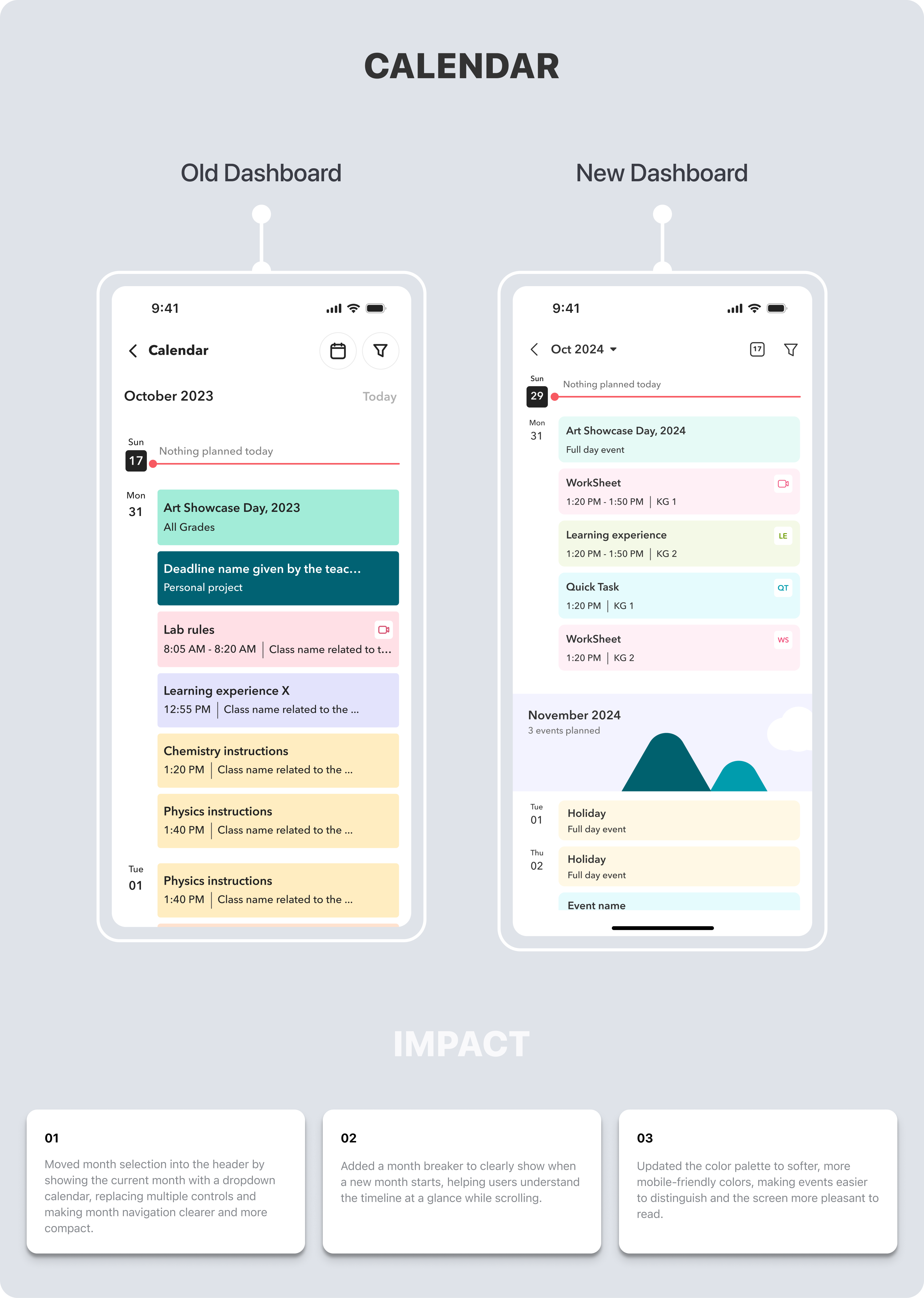
01The previous design used multiple tappable controls spread across the screen for month navigation — creating unnecessary back-and-forth. Consolidating it into a header dropdown followed the pattern users already know from native calendar apps, reducing the learning curve.
02Scrolling through a long calendar list with no visual breaks made it hard to tell where one month ended and another began. Added Month breakers which act as clear section dividers, reducing disorientation while scanning across time.
03The previous colour palette used high-contrast colours that were visually harsh on mobile screens, especially in low-light conditions. Softer tones improve readability and reduce eye strain during extended use.
Calendar redesign

Attendance Dashboard

The attendance flow was one of the most-used and most-complained-about parts of the app. Teachers needed to mark attendance quickly during class; families needed to track and excuse absences; students needed to see their own records. A single fragmented flow was trying to serve all three — poorly. I redesigned the full flow with role-appropriate views for each user type, covering overview, marking, excusals, and category-wise breakdowns.
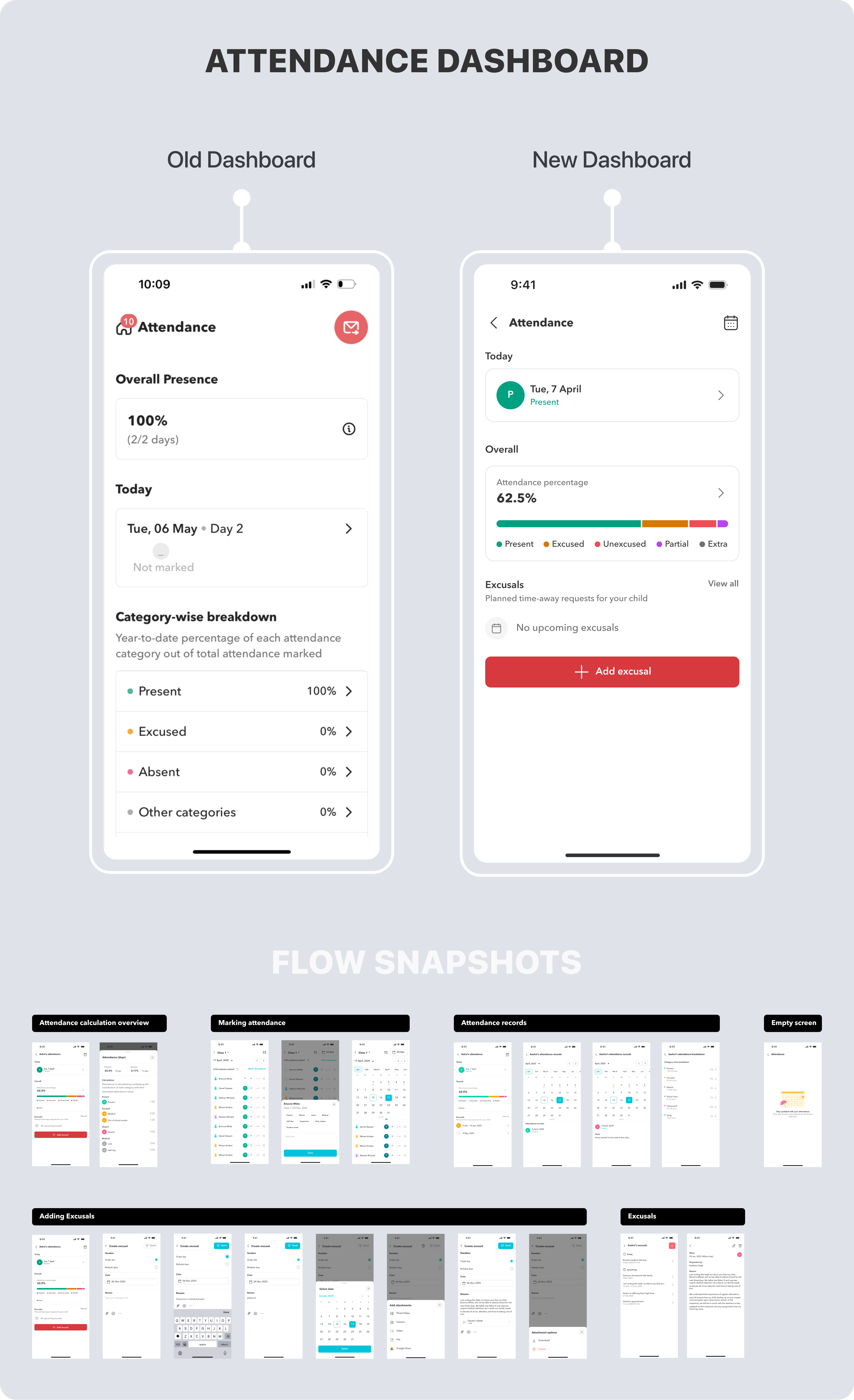
Attendance dashboard redesign

Search

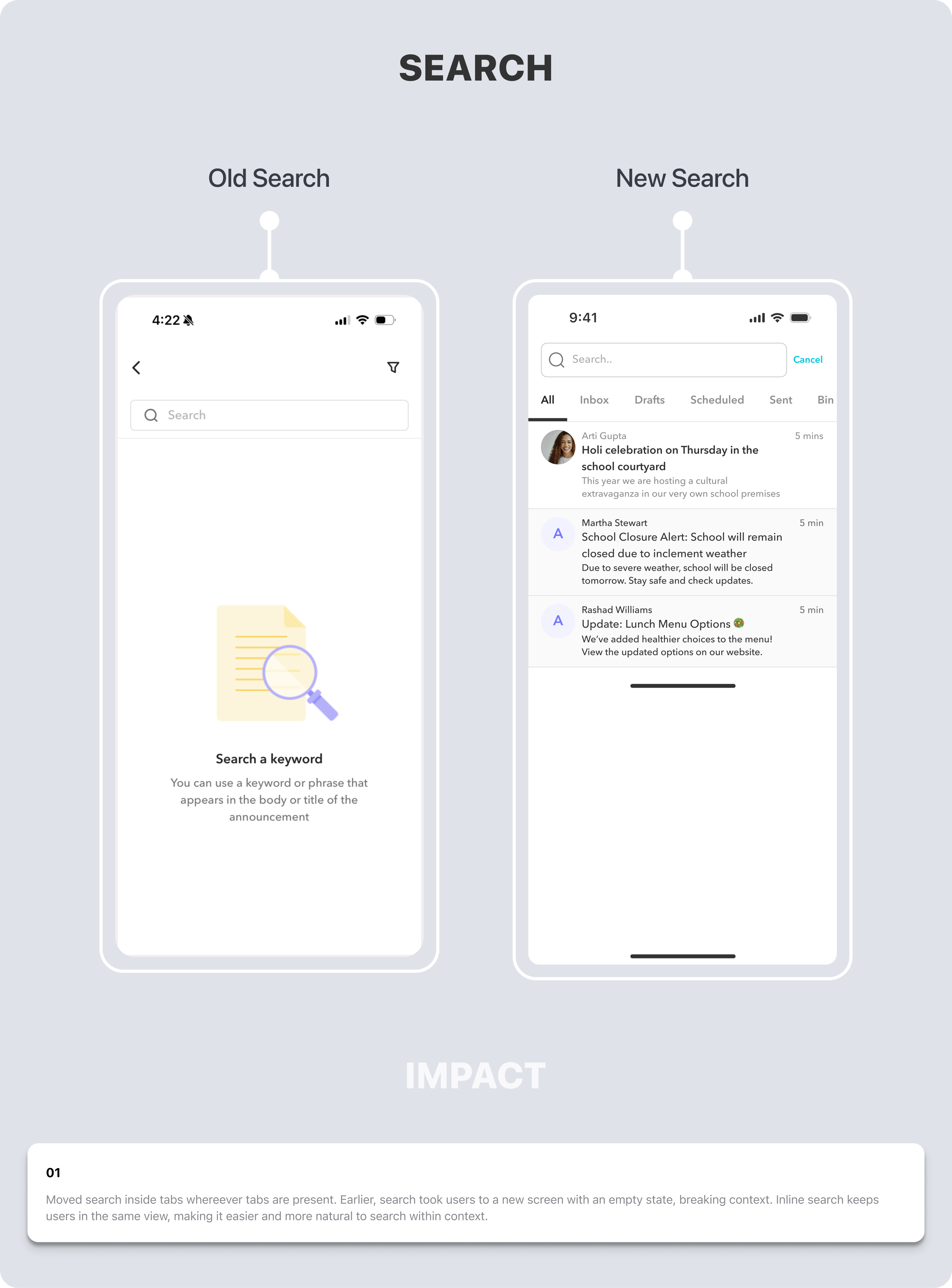
01Moved search inside tabs wherever tabs are present — inline search keeps users in the same view, making it more natural to search within context.
Search redesign

Font Scaling & Accessibility

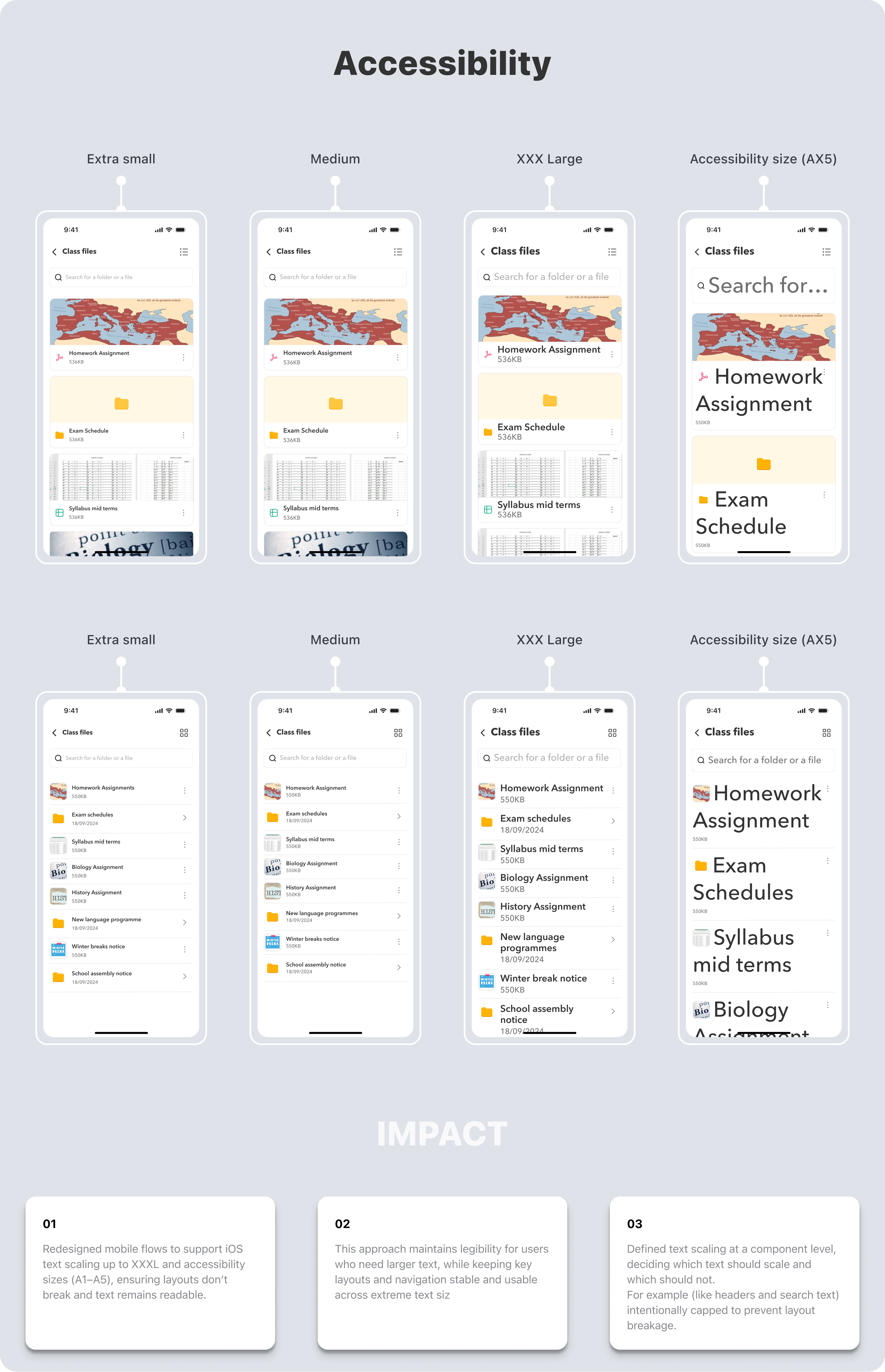
01Schools flagged that parents and students relying on larger system text sizes were encountering broken, unreadable layouts — a significant accessibility barrier. Redesigning flows to support iOS text scaling up to XXXL and accessibility sizes A1–A5 ensured the app was usable for everyone, not just users on default settings.
02Without a scaling strategy, allowing all text to scale freely caused layouts to break — buttons overflowing, labels truncating, and cards collapsing. Defining scaling behaviour at the component level — deciding exactly which text scales and which is capped — gave us accessibility without sacrificing layout integrity.
Font scaling and accessibility
4.4★
App rating on App Store
~25%
Reduction in support tickets and clickups
~40%
Faster development cycles after Design System launch
~20%
App size reduction — 250MB → 125MB

"The app is really easy to use. Kudos to the team for keeping the app experience really slick."